Activity 9: Data Structure in Typescript
Arrays in TypeScript
Definition:
An array is a collection of elements that are stored in a contiguous block of memory and can be accessed via indices. In TypeScript, arrays are used to store multiple values of the same type (or mixed types, depending on the configuration) in an ordered list.
Key Features:
Ordered: Elements are stored in a linear, ordered manner.
Indexed: Each element can be accessed by its index, starting from
0.Fixed Type: TypeScript arrays are strongly typed. You can define an array to hold elements of a specific type.
Dynamically Resizable: While arrays in TypeScript are declared with a fixed type, they are dynamically resizable.
Use Cases:
Storing a list of elements where you need indexed access.
Iterating over a collection of values.
Storing a fixed sequence of items (e.g., numbers, strings, objects).
Time Complexity:
Access: O(1) – Direct access using the index is constant time.
Insert (at end): O(1) – Adding an element to the end is constant time.
Insert (at beginning or middle): O(n) – Inserting at the beginning or middle requires shifting elements.
Delete (from end): O(1) – Removing from the end is constant time.
Delete (from beginning or middle): O(n) – Removing from the beginning or middle requires shifting elements.
Example Code in TypeScript
1. Declaring and Initializing Arrays
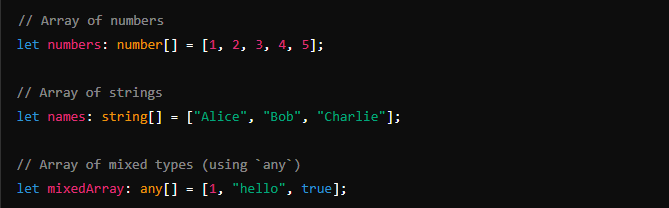
2. Accessing Elements

Tuples in TypeScript
Definition:
A tuple is a fixed-length, ordered collection of elements where each element can have a different type. In contrast to arrays (which are usually homogeneous), tuples allow you to define a specific structure with different data types for each position.Key Features:
Fixed Length: The number of elements is fixed once the tuple is defined.
Typed Positions: Each element of the tuple can have a different type, and the types are enforced at specific positions.
Access by Index: Elements can be accessed by their index, similar to arrays.
Differences from Arrays:
Type Enforcement: In arrays, all elements typically have the same type (
number[],string[], etc.), while in tuples, each element can have a distinct type (e.g.,[number, string, boolean]).Fixed Length: Tuples have a fixed number of elements, whereas arrays can grow or shrink dynamically.
Usage: Tuples are often used for representing data that has a known, fixed structure, such as key-value pairs, coordinates, or heterogeneous data like a record (e.g., a person’s name, age, and status).
Example: Defining and Accessing Tuples
1. Defining a Tuple

In this example:
The first element is a
stringrepresenting the name.The second element is a
numberrepresenting the age.The third element is a
booleanrepresenting whether the person is active or not.
2. Accessing Tuple Elements

You can access the elements of a tuple by their index, just like an array. However, TypeScript ensures that the type of the element is respected based on the position.
Dynamic Arrays (ArrayList) in TypeScript
In TypeScript, arrays are dynamic by nature. You can create an array, add elements to it, remove elements from it, and resize it dynamically without the need for manual memory management. Unlike low-level languages where arrays have a fixed size, TypeScript (and JavaScript) arrays automatically expand or contract as elements are added or removed.
Key Features of Dynamic Arrays:
Automatic Resizing: TypeScript arrays dynamically adjust their size as elements are added or removed.
No Capacity Limit: You don’t have to declare a fixed size for an array. It grows as needed.
Memory Management: The memory allocated for the array is handled internally, so you don't need to worry about manual resizing or allocation.
How to Manage Dynamic Arrays:
Use methods like
push(),pop(),shift(),unshift(), andsplice()to add, remove, or manipulate elements.The array length is automatically adjusted based on these operations.
Arrays are zero-indexed, so elements are accessed via their index starting from
0.
Example of Creating and Managing a Dynamic Array
1. Creating a Dynamic Array

Here,
dynamicArrayis initially empty, but we can add as many elements as needed dynamically.2. Adding Elements (Dynamic Resizing)
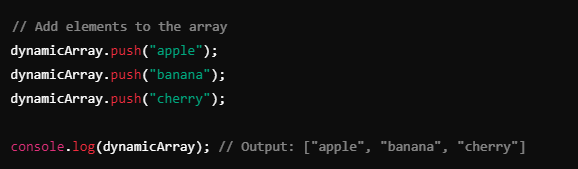
The
push()method adds elements to the end of the array, and the array resizes dynamically with each addition.Stack in TypeScript
A stack is a linear data structure that follows the Last In, First Out (LIFO) principle, meaning that the last element added to the stack is the first one to be removed. Stacks are commonly used in scenarios like function calls (call stack), parsing expressions, or implementing undo operations in software.
LIFO Principle
Last In First Out (LIFO): The last item added to the stack is the first one to be removed. Think of it like a stack of plates where you can only add or remove the top plate.
Push: Adding an element to the top of the stack.
Pop: Removing the top element from the stack.
Peek (or Top): Looking at the top element without removing it.
Implementing a Stack in TypeScript
You can implement a stack using an array or a class that encapsulates the stack behavior.
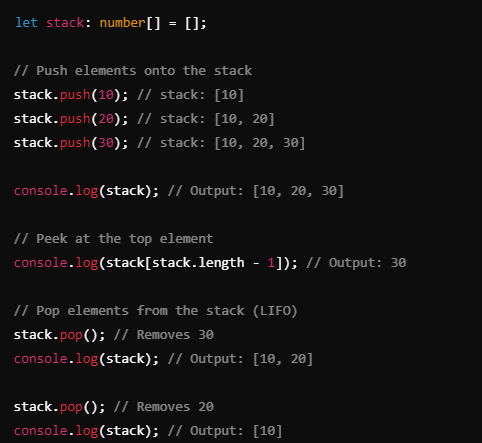
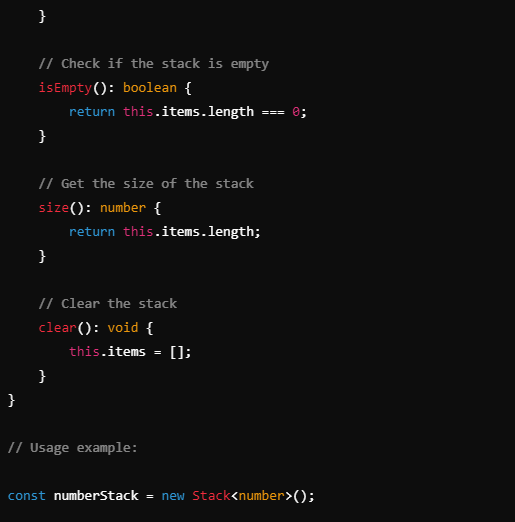
1. Stack Using an Array
Since TypeScript arrays already have the necessary methods (push and pop), implementing a stack using an array is straightforward.
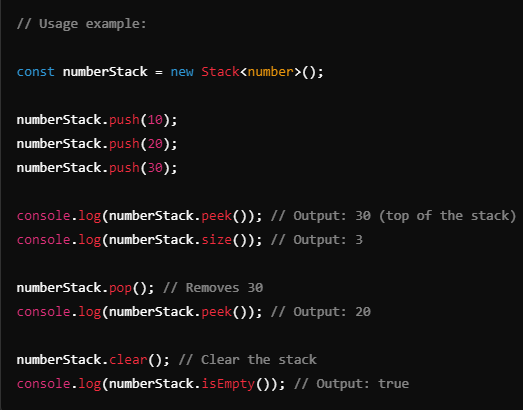
2. Stack Using a Class
For a more structured approach, you can define a
Stackclass that encapsulates the stack operations and restricts direct access to the array.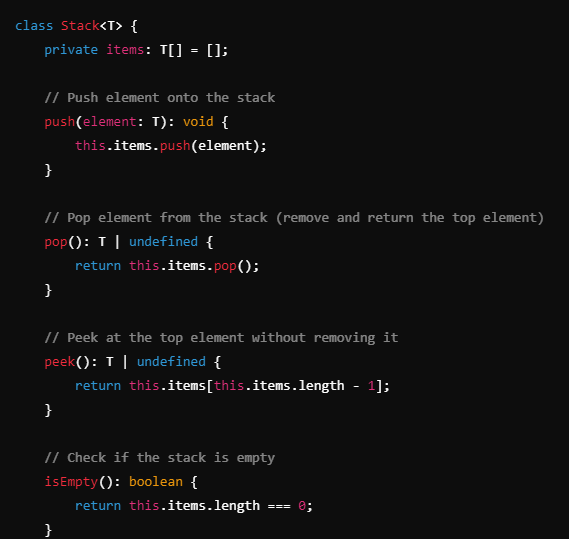
Queue in TypeScript
A queue is a linear data structure that follows the First In, First Out (FIFO) principle, meaning that the first element added to the queue is the first one to be removed. Queues are commonly used in scenarios such as task scheduling, process management, and buffering of data.
FIFO Principle
First In, First Out (FIFO): The first element added to the queue is the first one to be removed. Think of it like a line at a ticket counter: the first person in line is the first person to be served.
Enqueue: Adding an element to the back of the queue.
Dequeue: Removing an element from the front of the queue.
Implementing a Queue in TypeScript
You can implement a queue using an array or a class to encapsulate the queue operations.
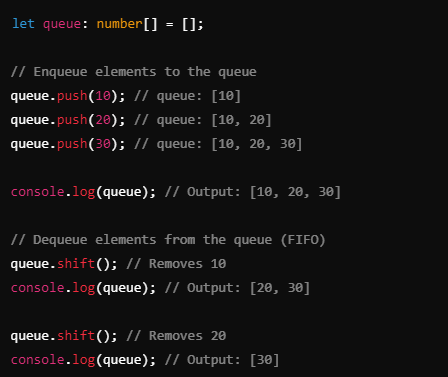
1. Queue Using an Array
You can use an array to implement a queue by using push() to enqueue (add) elements to the back and shift() to dequeue (remove) elements from the front.
2. Queue Using a Class
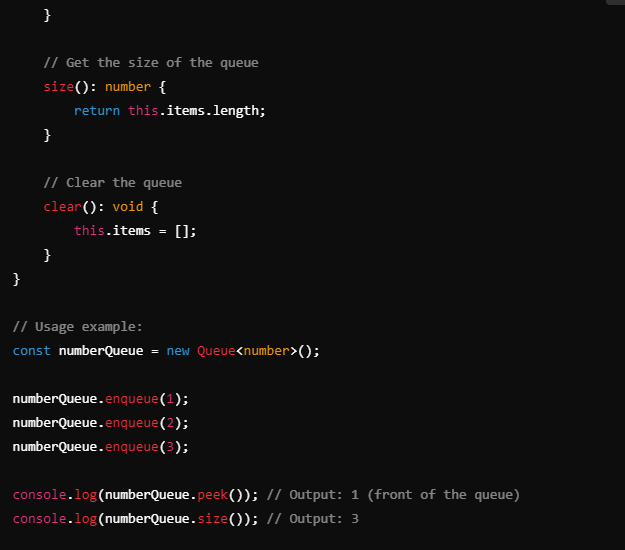
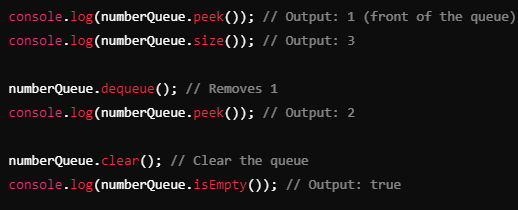
A more structured way to implement a queue is by creating a
Queueclass. This way, you can encapsulate the queue logic and operations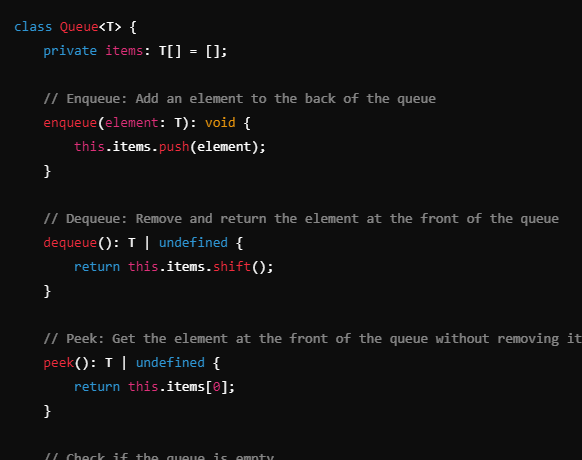
Linked List in TypeScript
A linked list is a linear data structure consisting of nodes, where each node contains two parts: the data and a reference (or pointer) to the next node in the sequence. In a singly linked list, each node points to the next one. In a doubly linked list, each node points to both the next node and the previous node.
Types of Linked Lists:
Singly Linked List: Each node points to the next node.
Doubly Linked List: Each node points to both the next and the previous node.
Key Concepts:
Head: The first node of the list.
Tail: The last node of the list (only in doubly linked lists or circular lists).
Node: The basic building block of a linked list that holds data and references to other nodes.
Singly Linked List in TypeScript
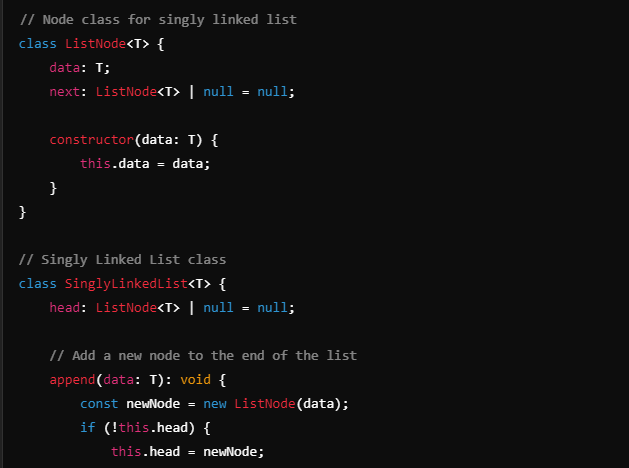
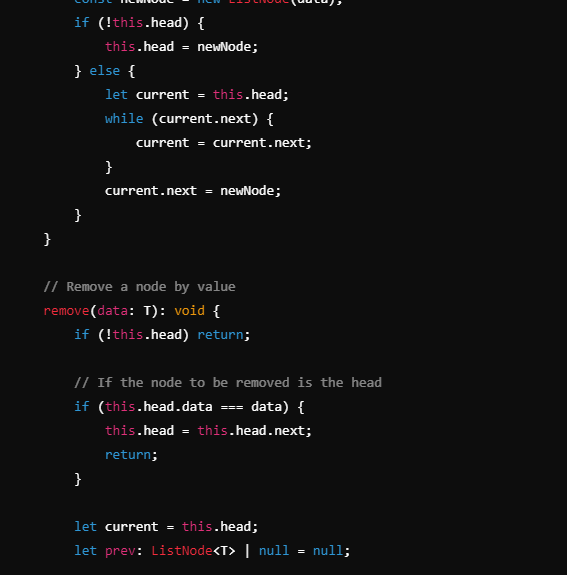
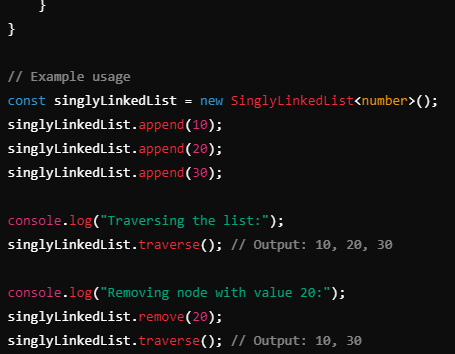
1. Creating a Singly Linked List
A singly linked list has nodes that contain data and a reference to the next node. We'll create a Node class and a LinkedList class to manage the list
HashMap in TypeScript
A HashMap (or dictionary) is a data structure that stores data in key-value pairs. In TypeScript, you can implement a HashMap using either an Object or the built-in Map class. The Map class provides more flexibility and better performance for certain operations.
Using Map in TypeScript
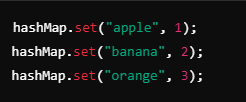
The Map class allows you to create a collection of key-value pairs where keys can be of any type. Here’s how to create, insert, delete, and search for values using Map.
Creating a HashMap with Map

Set in TypeScript
A Set is a built-in data structure in TypeScript (and JavaScript) that allows you to store unique elements. Sets are useful for scenarios where you want to ensure that no duplicates are present and where you need efficient operations for adding, removing, and checking for elements.
Creating a Set
You can create a Set using the Set constructor:

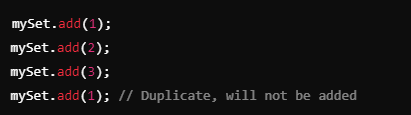
Adding Elements
To add elements to a Set, use the add method. If the element already exists in the Set, it won't be added again.
Binary Trees and Binary Search Trees (BST) in TypeScript
A binary tree is a tree data structure where each node has at most two children, referred to as the left child and the right child. A binary search tree (BST) is a specialized type of binary tree that maintains a specific order: for any given node, all values in the left subtree are less than the node's value, and all values in the right subtree are greater.
Implementing a Binary Search Tree in TypeScript
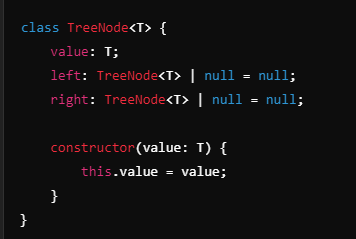
1. Creating the Node Class
First, we'll create a TreeNode class that represents each node in the tree
.
